Answers hide behind click paths
“Which products use this bearing?” means a where-used search, an export and a spreadsheet.
PLM Copilot by Curiosbot
PLM Copilot by Curiosbot lets engineers and change managers question their PLM system in plain language. Every answer shows its source, and every change is previewed, confirmed, verified and audited.
The demo runs on synthetic PLM data.
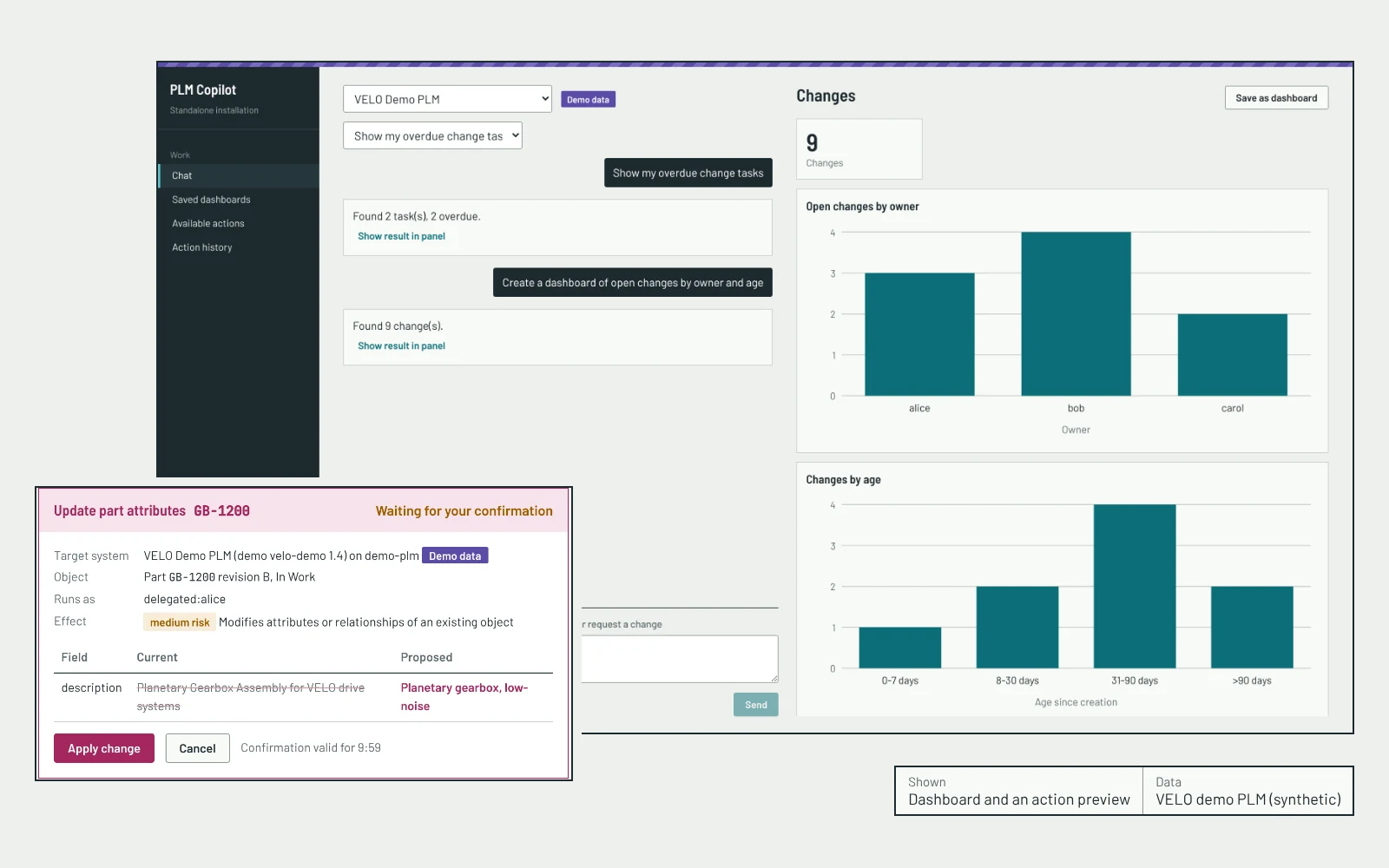
 Real screens from the VELO demo PLM. Data is synthetic.
 The problem
“Which products use this bearing?” means a where-used search, an export and a spreadsheet.
Change and task status is copied out of the PLM, so nobody knows how current a number is.
A chatbot that guesses part numbers, or edits a released item without review, is not acceptable in engineering.
PLM Copilot answers from the PLM system itself, shows its source, and never changes data without a confirmed preview.
What it does
Reads run straight away under your own PLM identity. Changes always become a plan that you preview and confirm.
Overdue tasks, open changes, documents linked to a change, parts modified this week.
Dashboards, BOM trees, revision comparisons and where-used maps, saved and refreshed.
Update attributes, raise change requests, attach documents and submit for review, with a preview first.
Teal marks reading. Magenta marks anything that changes PLM data, in the product and on this page.
The product
Six capabilities, each shown on a real screen from the demo environment. Select a screen to open it at full size.
01 Ask
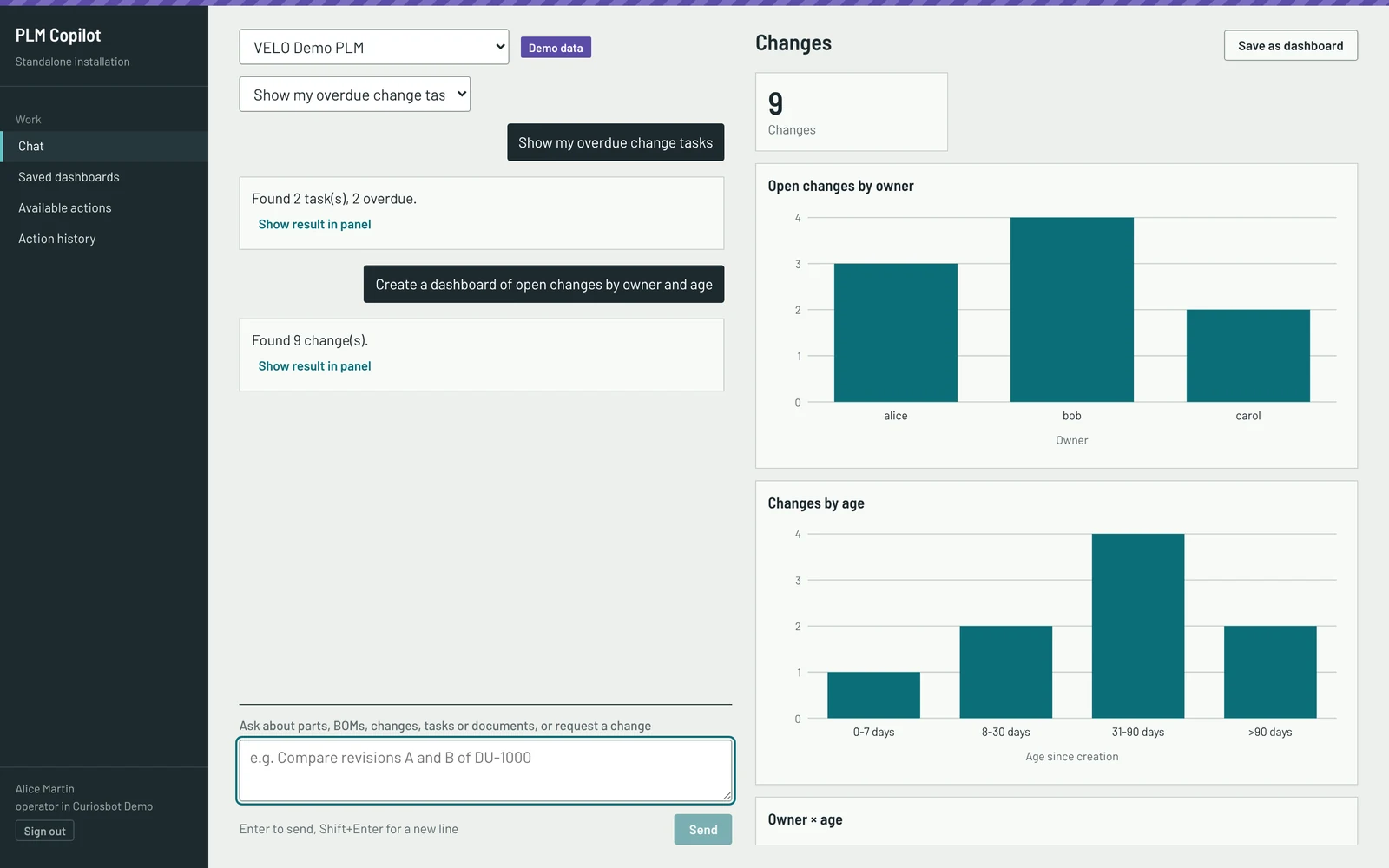
Type “Create a dashboard of open changes by owner and age.” The answer is built from the live API response. Counts and charts are computed by the application, not by the AI model, and can be saved and refreshed.
02 See
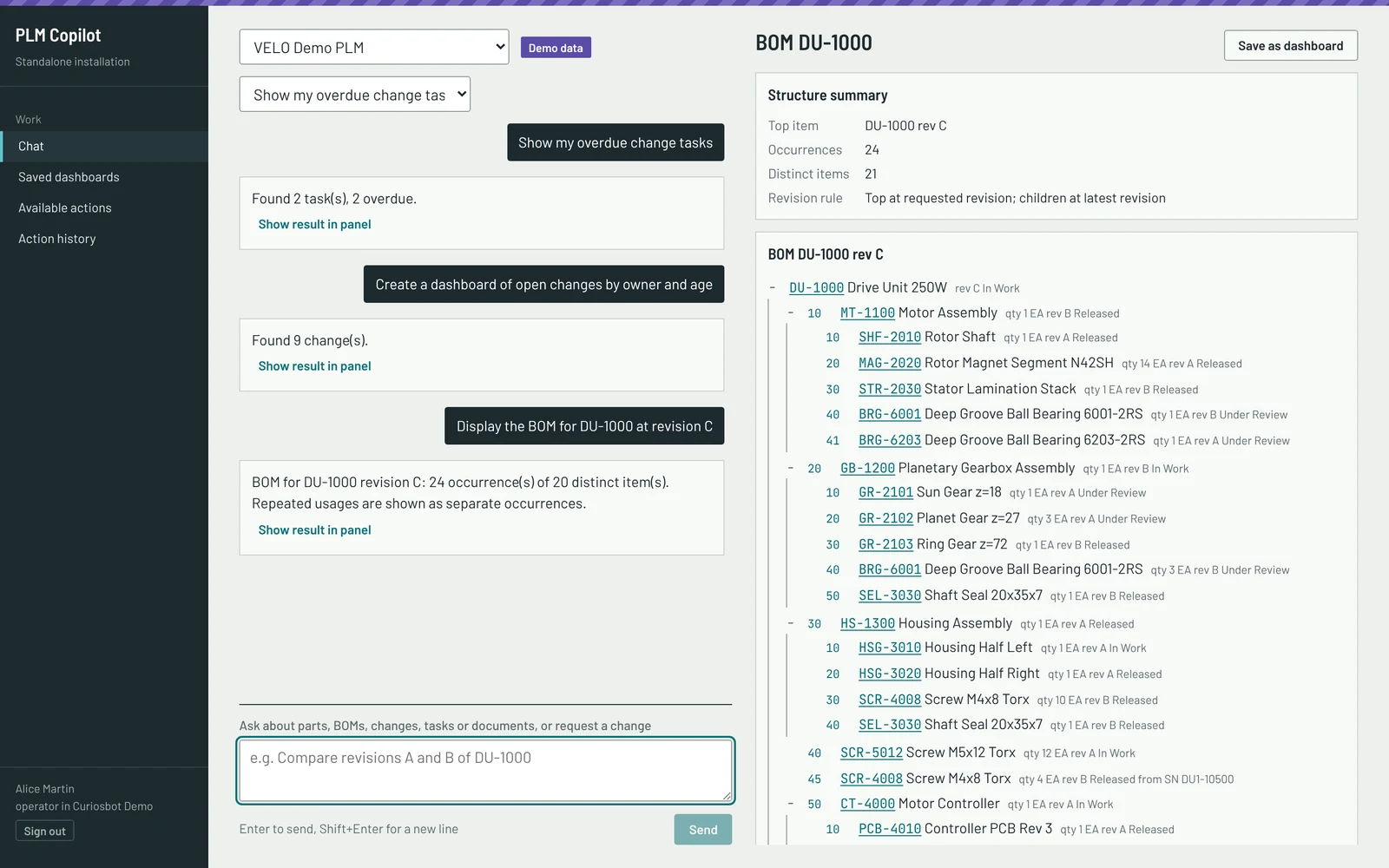
Ask for “the BOM for DU-1000 at revision C” and get a multi-level tree with find numbers, quantities and states. Revision comparisons and where-used work the same way.
03 Provenance
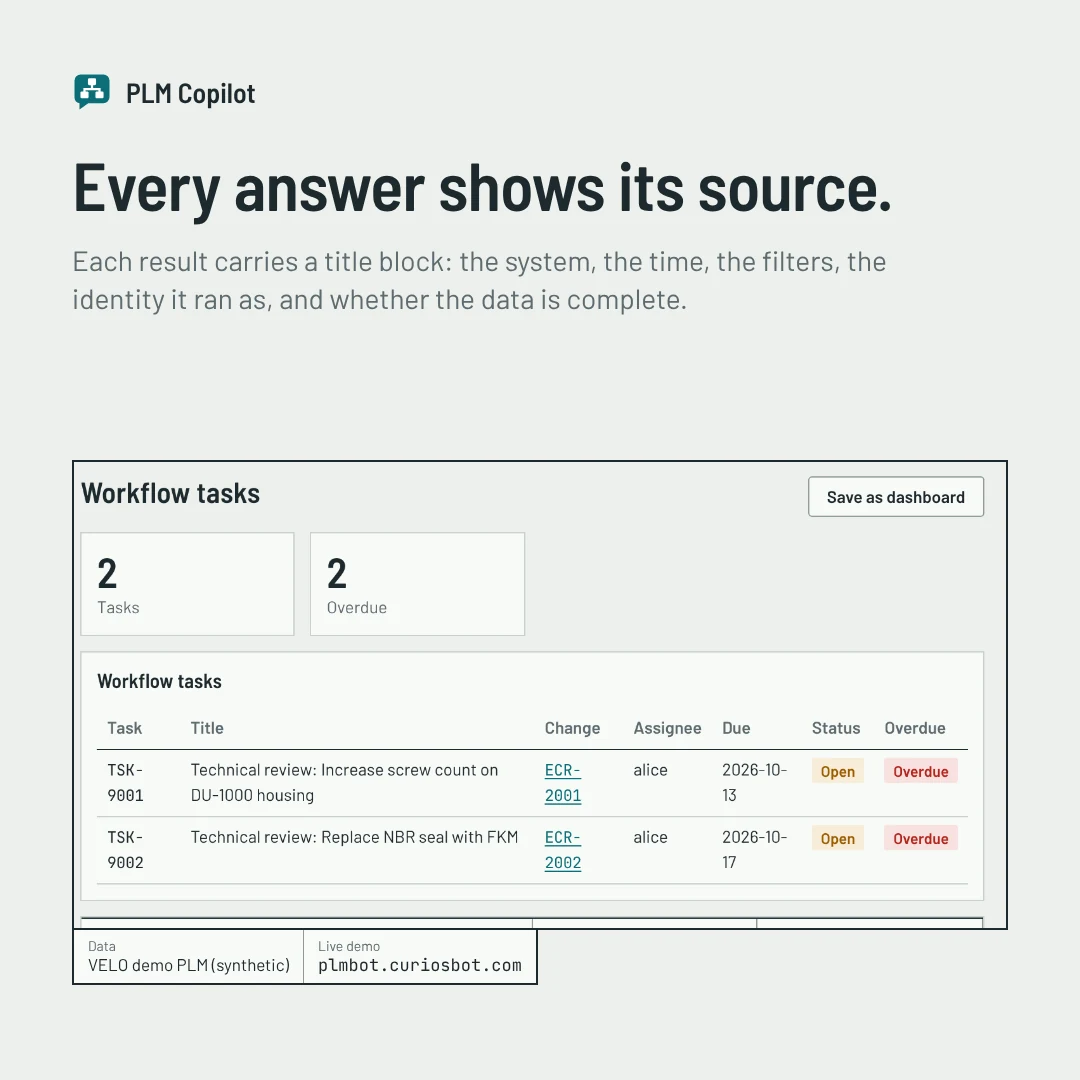
Each result carries a title block, like the corner of an engineering drawing, so you can see where the data came from and how current it is.
04 Change
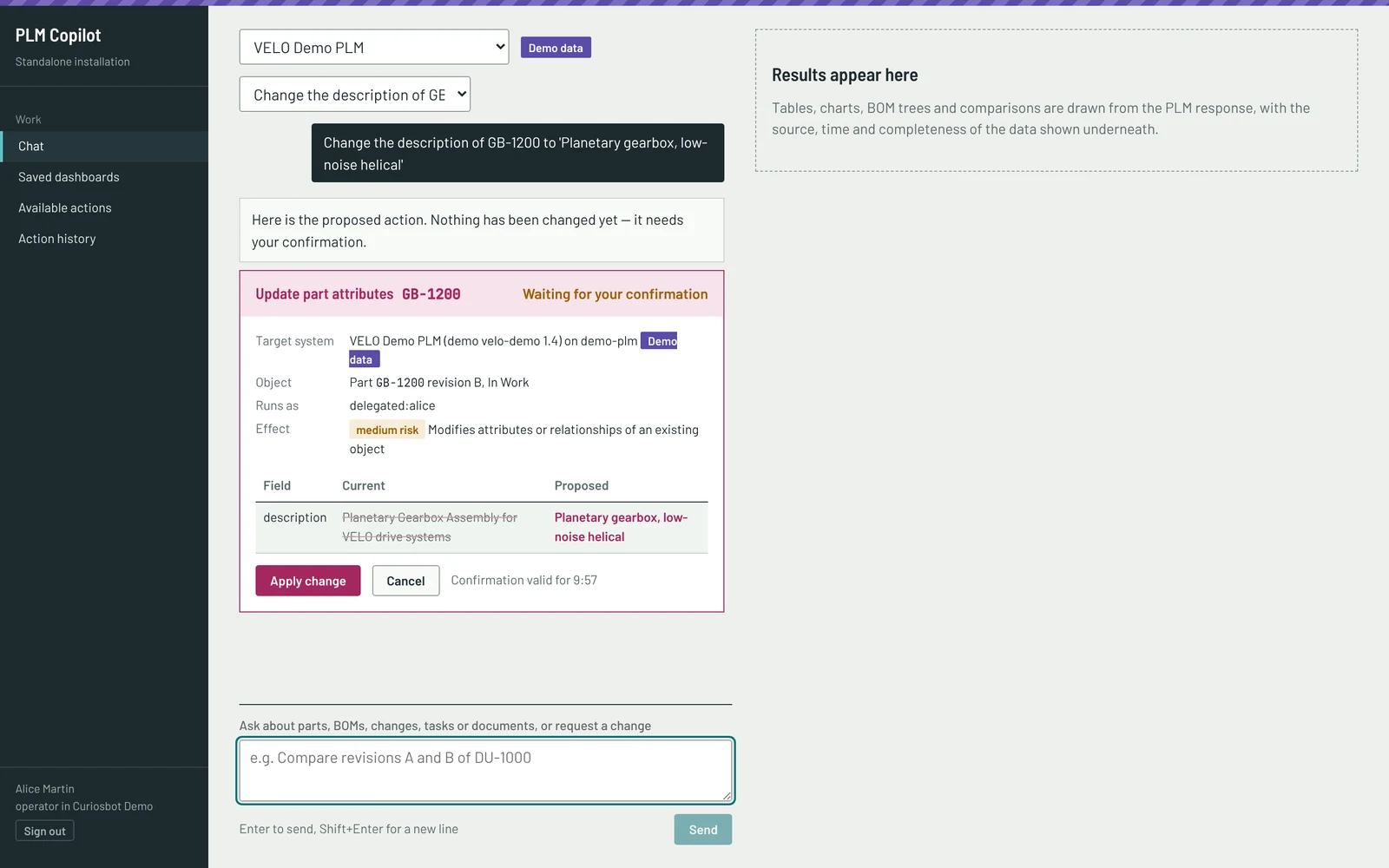
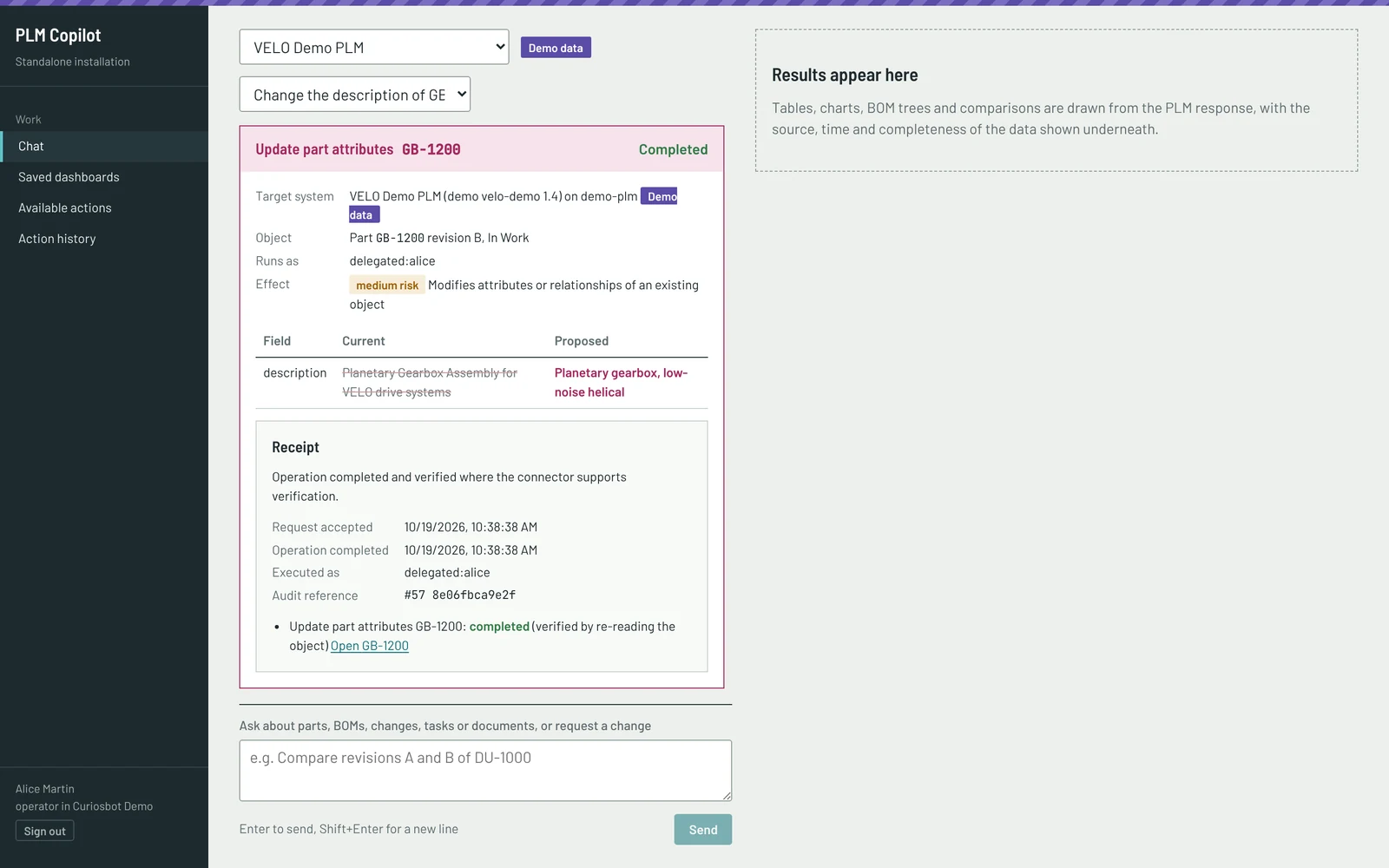
A requested change becomes a plan. You see the system, object, revision and the before and after values, and confirm. The change then runs once through the PLM’s own API and business rules, and PLM Copilot re-reads the object to verify it.
05 Administration
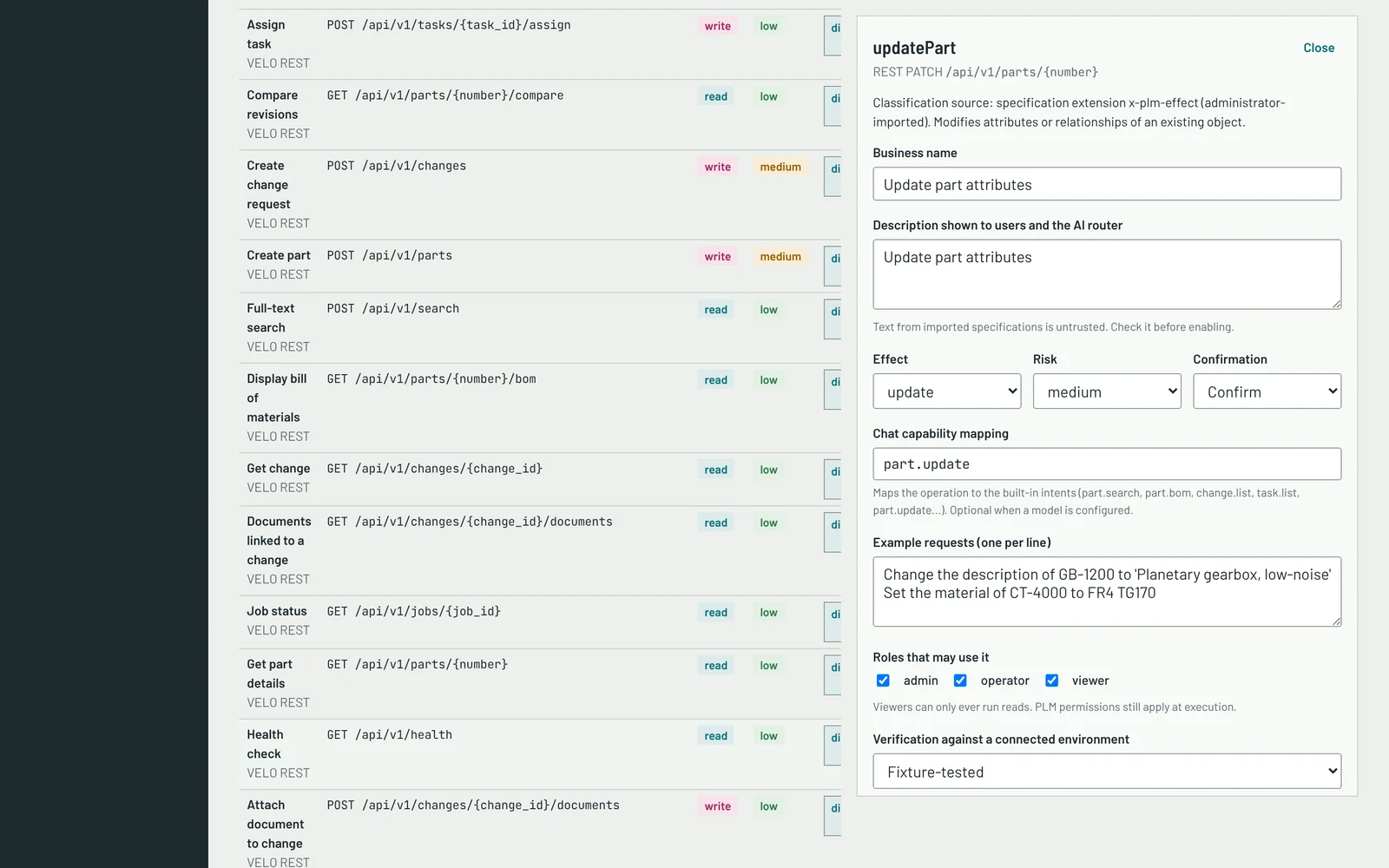
PLM Copilot reads your API descriptions: OpenAPI, OData metadata or WSDL. An administrator reviews each operation’s effect and risk, then enables it for chosen roles. Users see only what they may use.
06 Audit
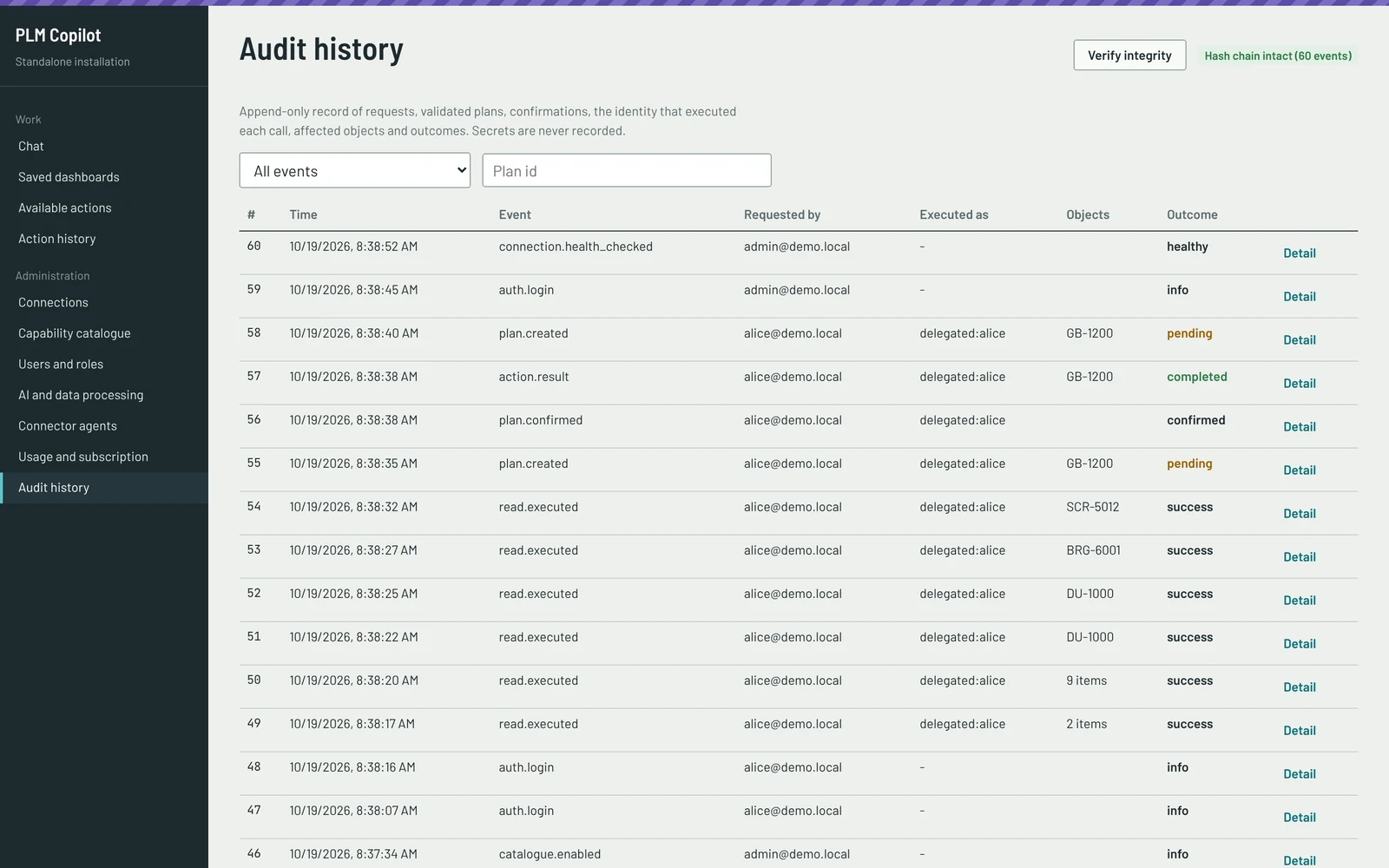
Requests, validated plans, confirmations, the identity that executed each call, affected objects and outcomes go into an append-only history. A hash chain lets you verify it has not been altered. Secrets are never recorded.
Control
Tied to the exact plan, user, connection and expiry. Any change needs a new confirmation.
Object state and ETag are re-read before execution. A concurrent edit or a lock stops the change.
Releases, lifecycle changes, deletes and bulk edits require typing the object ID.
After a timeout the object is re-read. Only idempotent calls are resent; otherwise the outcome is marked unknown.
Changes go through the vendor API with its permissions and workflow. No direct database writes.
Append-only, hash-chained history of requests, plans, confirmations, identities and outcomes.
Confirmation binding and expiry, stale objects and locks, duplicate submissions, timeouts, partial failures and audit tamper detection are each covered by automated tests.
AI boundaries
The AI model is optional. By default, built-in rules interpret requests fully offline. A local OpenAI-compatible model or a hosted model can be added, and a hosted one only with an explicit administrator opt-in. Instructions hidden in PLM content are treated as data, flagged and ignored.
Integration
We list the status of every connector plainly. No PLM vendor is claimed as supported until its connector has been verified on a live system.
| System | How it connects | Status today |
|---|---|---|
| SAP S/4HANA | OData services, SAP CSRF | Built from SAP documentation, not yet tested live |
| PTC Windchill | REST Services (OData) | Built from PTC documentation, not yet tested live |
| Siemens Teamcenter | Your gateway’s API definitions | Needs definitions or an SDK bridge |
| Oracle Agile PLM | Web services (WSDL) | Discovery works; execution needs an adapter |
| Any OpenAPI or OData API | Generic connector | Tested against the demo PLM |
A connection never shows as healthy until an authenticated call succeeds. A first pilot turns “not yet tested live” into verified.
Deployment
One Docker Compose install for a single organization. With the built-in rules or a local model, nothing leaves your network.
Separate organizations, enterprise sign-in, usage metering and quotas, and workers that scale out.
A small agent inside your network connects out. PLM credentials stay with it, and its own allowlist decides what it can reach.
With the hosted agent, the PLM responses your users ask for pass through the service. The on-premises install is the option when that is not acceptable.
Status
Facts about the current build, as of October 2026.
Next: verify a first vendor connector with a pilot customer, add delegated sign-in to the PLM, then browser end-to-end tests and billing.
FAQ
PLM Copilot by Curiosbot is a web application that lets engineers and change managers ask their PLM system questions in plain language. It returns live answers, dashboards, BOM trees and revision comparisons with their source, and it makes changes only after you have seen a preview and confirmed it.
No. Any change becomes a plan with a preview showing the system, object, revision and the before and after values. It runs only after you confirm, once, through the PLM’s own API and business rules. The object is then re-read to verify the result, and the outcome is recorded in an append-only audit history.
No. The model may choose one of the operations enabled for you, propose arguments and ask a clarifying question. It never sees PLM data, credentials or session tokens and never runs code, SQL or arbitrary HTTP calls. The model is optional: by default, built-in rules interpret requests fully offline.
The generic OpenAPI and OData connector is tested against the bundled demo PLM. Connectors for SAP S/4HANA and PTC Windchill are built from the vendors’ documentation and have not yet been tested against a live system. Siemens Teamcenter needs your gateway’s API definitions or an SDK bridge, and Oracle Agile PLM needs an adapter for execution. A first pilot is how a connector becomes verified.
It can be installed on your own servers with Docker Compose, or used as a hosted service. For a PLM inside a private network, a small agent runs in your network and connects out, so PLM credentials stay with it. With the hosted agent, the PLM responses your users request pass through the service, so the on-premises install is the option when that is not acceptable.
PLM Copilot reads your API descriptions, but discovered operations are not enabled automatically. An administrator reviews the effect and risk of each operation and enables it for chosen roles. Users see only what they may use, and an operation that later changes or disappears is disabled.
Yes. A public demo runs at plmbot.curiosbot.com against the bundled VELO demo PLM. All data in it, and in every screen on this page, is synthetic.
Get in touch and we will agree a four-week pilot on a non-production PLM system. We need one test environment and a PLM administrator for a few hours a week. Live tests that change data stay opt-in and run only against that system.
Four weeks on a non-production system: connect, review the catalogue with your PLM administrator, and run real questions from your engineers.